
Detect and Fix Feature Failures in iOS Apps
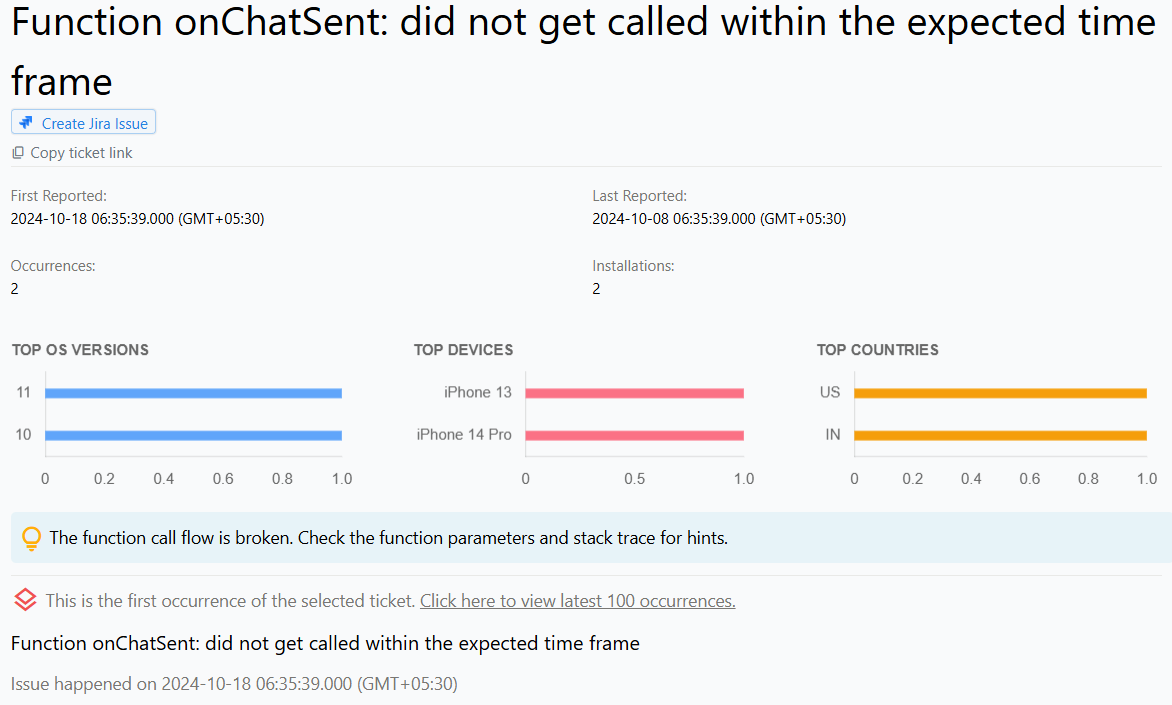
Feature Failures in iOS and iPadOS apps
Feature failures occur when certain functionalities or components of an iOS or iPadOS app do not work as intended. These failures can result in a poor user experience or even render the app unusable.
Appxiom Framework provides developers with the ability to track crucial features by monitoring the start and end functions of a specific feature. If a feature fails to complete its execution, it will be reported to the dashboard, allowing developers to quickly identify and address the issue.
Why does this happen?
Feature failures in iOS and iPadOS apps can have several causes:
Programming errors: Bugs in the code or improper implementation of the app's logic, which can lead to features not working as intended.
Incompatibility issues: Incompatibilities with different devices, operating systems, or third-party libraries can also result in feature failures.
Insufficient testing: Failure to identify problems before the app is released, leading to unexpected feature failures in the live app.
Resource constraints: Insufficient resources, such as memory or processing power, can cause features to fail or perform poorly, affecting the overall user experience.
How to fix it using Appxiom
- Locate issue report: The issue report provides the name of the unexecuted chained function, along with the parameters passed to the first function and the activity trail, which is a chronologically ordered list of events that occurred prior to this issue.
- Trace activity trail: Setting custom markers at different points in the feature execution will help developers identify the point of failure.
Stop guessing. Start fixing.
Get real-time alerts, exact stack traces, and complete activity trails before these issues impact your revenue.
We use cookies to improve your experience.