
iOS App Hang Detection & Impact
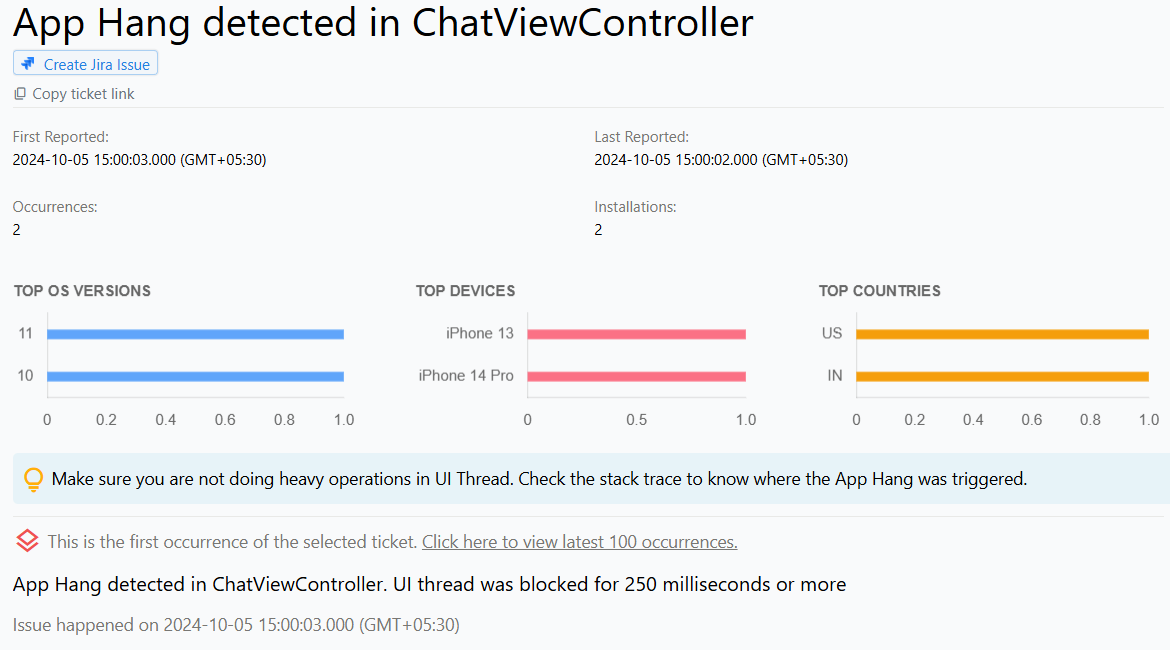
App Hangs in iOS and iPadOS apps
AppHangs is a common issue that can occur in iOS and iPadOS applications, impacting their performance and user experience. It happens when an application becomes unresponsive to user input for 250 milliseconds or more.
This unresponsiveness may lead to user frustration and potential abandonment of the app, making it essential for developers to monitor and address these issues to ensure a smooth and enjoyable user experience.
Why does this happen?
AppHangs in iOS and iPadOS apps can occur due to various reasons that impact the application's responsiveness. Some common causes include:
Long-running operations on the main thread: These can block user interactions and trigger AppHangs.
Deadlocks and race conditions: Thread lock contention and race conditions that prevent the app from processing user input.
Unresponsive UI components: UI elements that fail to respond to user actions.
Slow I/O operations: Heavy file or network operations that can lead to delays in loading or processing data.
How to fix it using Appxiom
- Analyze stack trace: The issue report provides the stack trace of the main thread, pointing to the line of code that triggered the AppHang.
- Trace activity trail: In addition to the stack trace, the activity trail, which is a chronologically ordered list of events that occurred prior to the issue, helps developers retrace how the user was interacting with the app before the problem arose.
Stop guessing. Start fixing.
Get real-time alerts, exact stack traces, and complete activity trails before these issues impact your revenue.
We use cookies to improve your experience.