
Android Memory Leaks Detection & Debugging
What is Memory Leak in Android apps?
A memory leak in an Android app is a programming issue where the app fails to release unused memory, causing the app to consume more and more memory over time, leading to performance degradation and eventual crashes. It can negatively impact user experience and should be addressed by developers to ensure the app runs smoothly.
Memory leaks can occur due to various reasons such as incorrect use of callbacks or listeners, improper handling of object references, or issues with garbage collection. In debug and testing mode, memory leaks can become more apparent due to the increased usage of memory analysis tools. These tools can help developers identify and locate memory leaks, allowing them to take appropriate actions to fix them.
Why it matters
It is crucial for developers to regularly monitor their app's memory usage and address any memory leaks as soon as possible. Failure to do so can lead to issues such as slow performance, crashes, and negative user feedback. By implementing good coding practices and utilizing memory analysis tools, developers can effectively prevent and fix memory leaks in their Android applications.
Why does this happen?
Memory leaks in Android applications during debug and testing mode can be caused by various factors. The reasons include:
Incorrect management of object references: This occurs when objects are not released when they are no longer needed, leading to a continuous accumulation of unused objects in memory.
Improper use of static variables: This can cause objects to remain in memory even after they are no longer required, contributing to memory leaks.
Using too many resources without releasing them: Resources such as bitmaps, cursors, or file streams can lead to memory leaks when they continue to occupy memory space without being utilized.
How to fix it using Appxiom
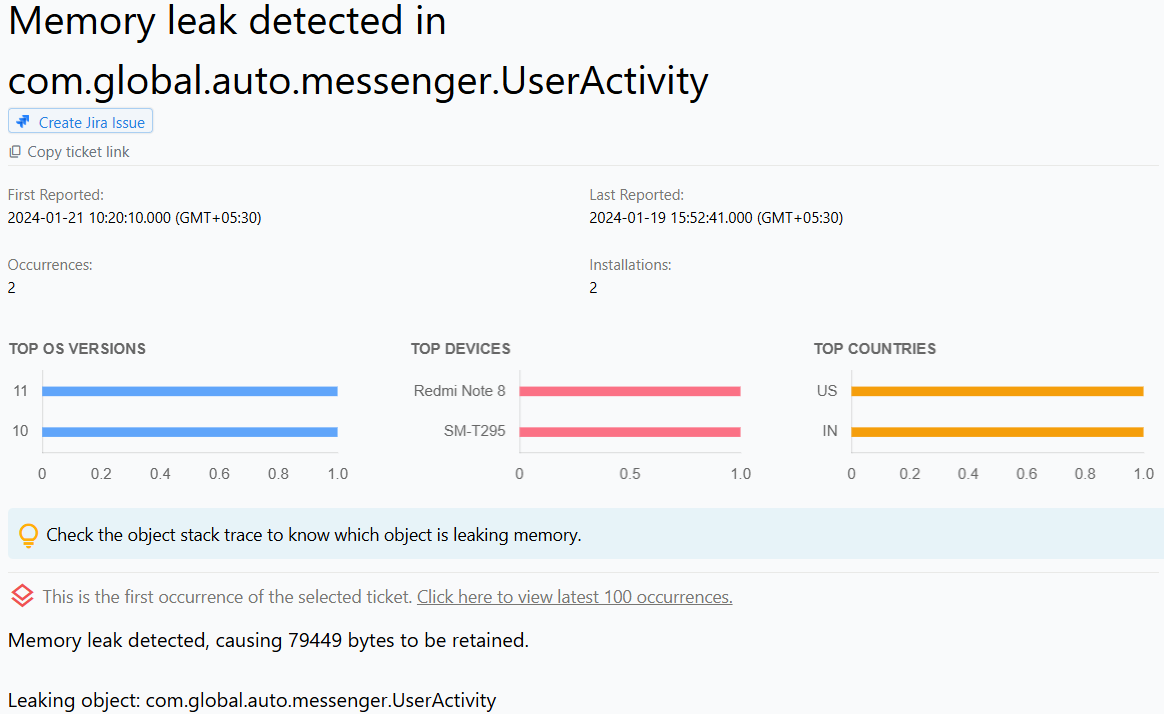
- Locate issue report: The issue report provides the name of the activity where the leak occurred, along with the class stack. The class stack enables developers to identify the exact object causing the leak.
Stop guessing. Start fixing.
Get real-time alerts, exact stack traces, and complete activity trails before these issues impact your revenue.
We use cookies to improve your experience.